
Sound familiar?
- No clear calendar — who is where, and for how long?
- Addresses and notes scattered across phones and notebooks
- Prices change, but nobody remembers which rule applied
- Handling a new booking and finding where to slot it takes 20–30–40 minutes — not counting the changes that keep coming from last-minute surprises.
One platform for the whole company
Customers book online. You confirm, price, assign, and run the day from one admin — on desktop or as an app on your phone.
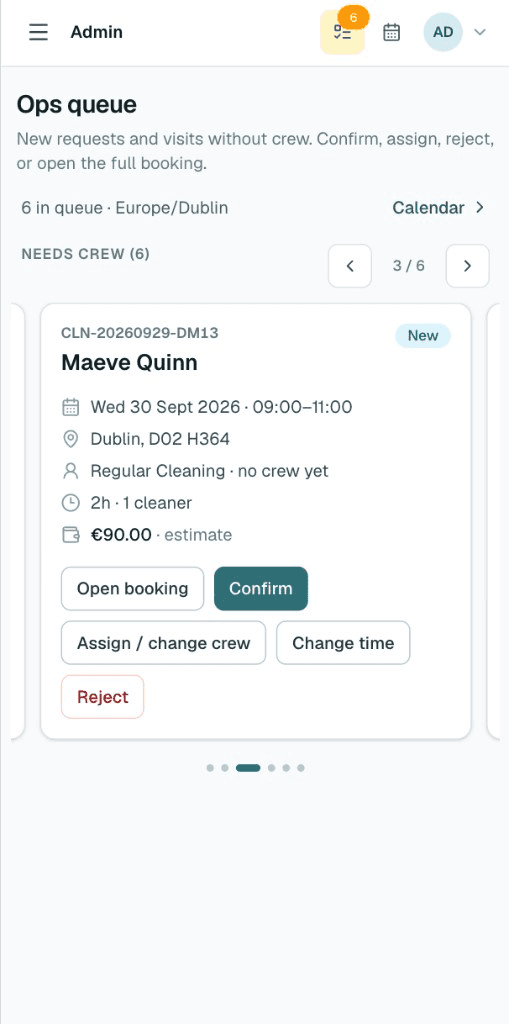
Admin on your phone
Install the admin as an app. Check the queue, open a booking, and move the day without being stuck at a desk.
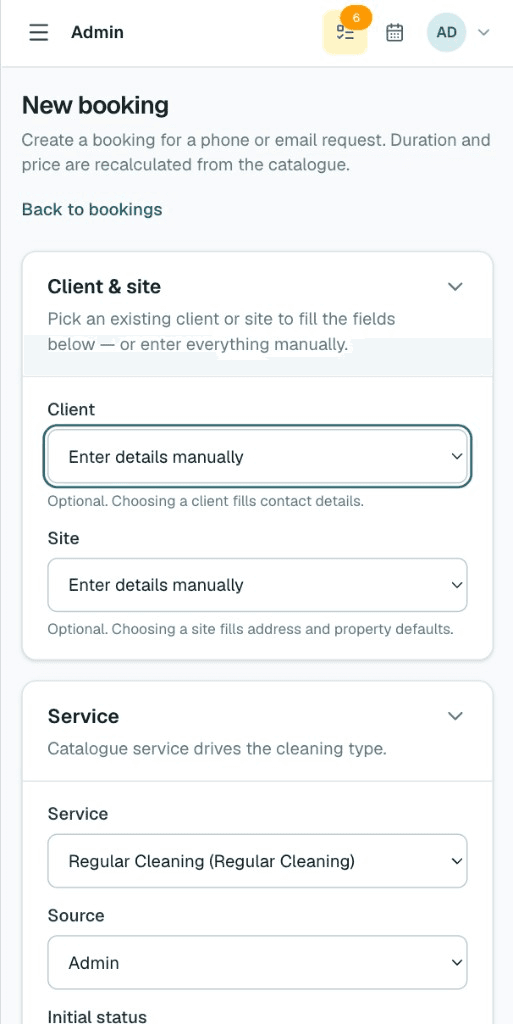
Customer booking form
Your storefront collects property details, extras, and contact info. Estimates use your duration and price rules.
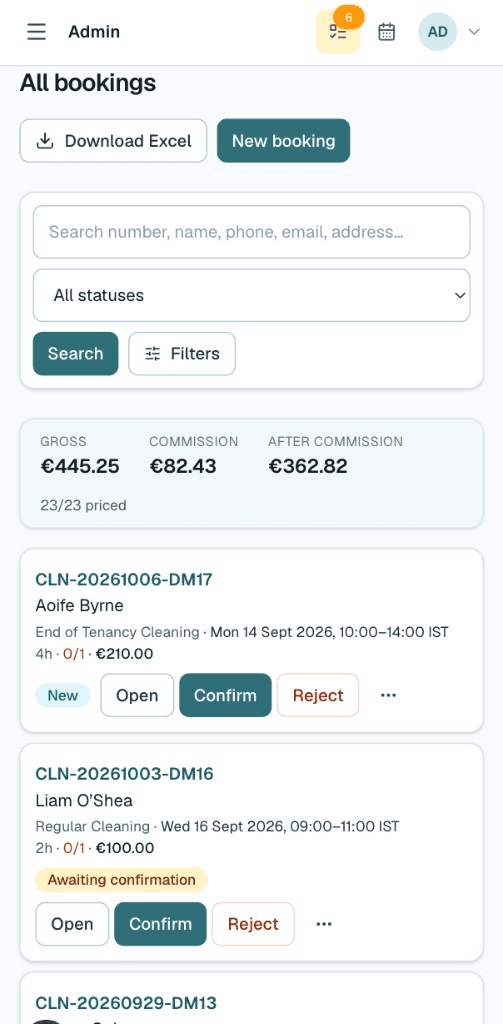
Clients and addresses
Every customer and site stays on file — ready for the next visit, with notes that travel with the booking.
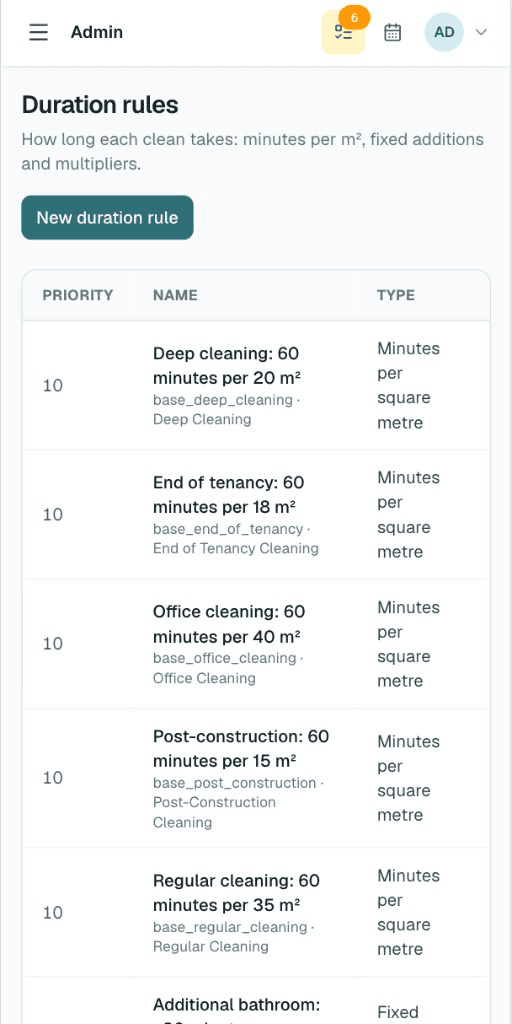
Editable pricing rules
Set duration and price rules in the admin. Change them when the market moves — new bookings pick up the update.
Booking calendar
See the week, drag work onto days and crews, and keep ops clear without a separate spreadsheet.
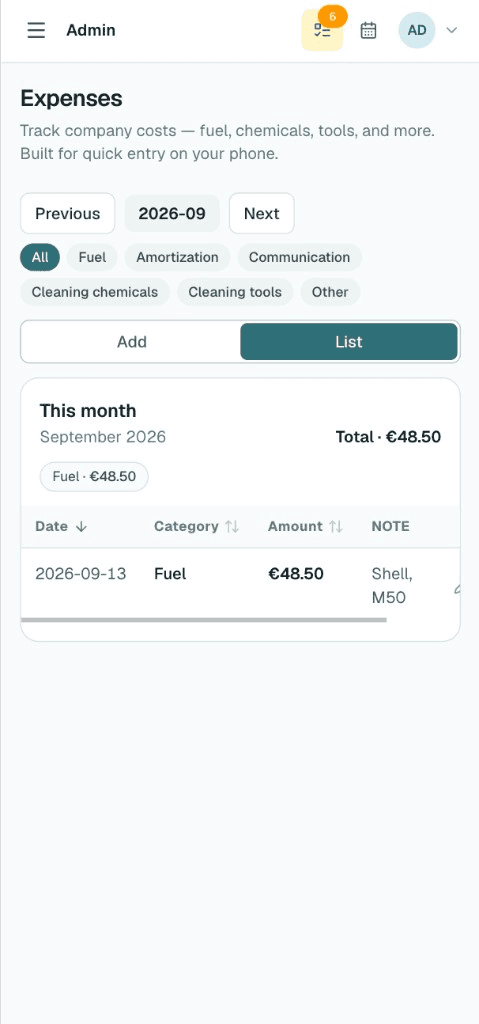
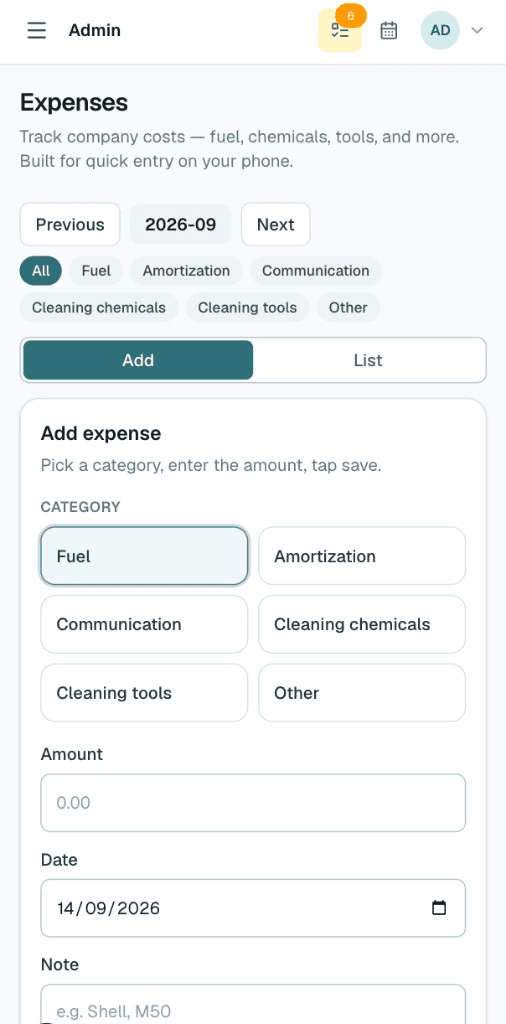
Expenses on the go
Log fuel, amortization, phone/data, cleaning chemicals, tools, and other costs in a few taps — categories ready, totals by month.
Ready to run your company on the platform?
Tell us about your team and how you take bookings today. We’ll walk you through setup and answer every detail.
Or reach us directly
Frequently asked questions
- Can I try the admin before talking to you?
- Yes. Open the live demo admin — no password required — and click through calendar, bookings, and expenses.
- Does it work on my phone?
- The admin installs as a phone app (PWA). Check the queue, open a booking, and move the day without being stuck at a desk.
- Can I keep my own prices?
- Yes. You set duration and price rules in the admin. New bookings pick up your latest rules automatically.